Posts Tagged Apple
Seddit: A text-to-speech Reddit reader for iOS and macOS
Posted by Angela Brett in My Software on August 6, 2025
A while ago my friend Brynn told me she’d love an app which would continuously read posts and comments from Reddit using text-to-speech, with minimal user interaction. This seemed like a fun project, so just after I released the macOS version of Lifetiler, I started working on it. It was indeed a fun project! And now it’s also on the App Store as a fun and useful app that you can use. It’s completely free, though if you would like to thank me for the effort, on the Settings screen there’s an in-app purchase tip jar which will give you a compliment (courtesy of NiceWriter) for each tip.

To use Seddit, you start by pressing the + button to load either a specific post from a URL, or a number of the best, hot, new, etc. posts from a subreddit. You can load more posts from other subreddits whenever you like. Then you press the Play button, and Seddit will read through the posts and comments you’ve loaded. You can configure which voice, rate, and pitch to use in the Settings, or set it up to use your VoiceOver voice settings whenever VoiceOver is running.
Seddit supports the main things that most audio apps do. You can AirPlay to another device. You can skip any posts or comment threads you’re not interested in using the buttons in the app, on your Mac keyboard or iOS lock screen, or on your headphones, for instance.
If you really want to sit back and listen without fiddling with anything, you can set up Seddit to automatically load more posts whenever it is running out of content to speak. And if you’re sitting so far back that you want to go to sleep while listening and not fiddle with the app to turn it off, you can use the Sleep Timer to have Seddit automatically stop speaking after a certain amount of time.
The posts you have loaded will be synched between devices that are signed into the same iCloud account, so you can start listening on one device and continue on a different one. Note that if you switch devices in the middle of a post or comment, the post or comment will be started from the beginning.

Since Seddit is more intended for passive consumption of discussions, it does not support commenting, or viewing images within the app. However, if you navigate to a post in the app, you can follow links to view the post, external link, or images on the web. You can also set up Seddit to skip reading posts that have only a link or image in the post body.
I always pay attention to accessibility when writing apps, but Seddit in particular was developed with the blind and low-vision community in mind. Brynn is blind herself, and let me know while testing the app if there were ways I could improve accessibility. Please let me know if you find any issues.
Feel free to download Seddit and try it out!
I’m also continuing to look for a day job, so I can afford to keep Seddit free to use. Let me know if you spot one I’d be great at!
Lifetiler for macOS: it’s like a temperature quilt for your life
Posted by Angela Brett in My Software on November 13, 2024
TL; DR: I wrote a macOS app called Lifetiler that can be used to chart your life with an emoji or colour for each day, and you can download it here.
If you’ve been following me for a while, you know I was in a long-distance relationship with Joey Marianer for several years. We met on JoCo Cruise, communicated a lot on FaceTime, and visited each other a few times a year when possible. Eventually we got married, and two and a half years later we moved in together.
On 7 August 2022, I had several hours to spare in an airport business lounge after Joey had left, so I started writing an app called Lifetiler to chart how many days we’d been together in-person. As I write this on 12 November 2024, we’ve been together in-person for 323 days of the 2811 days we’ve known each other, in 15 contiguous stretches. That makes this our 14th date, since we didn’t start dating until the second time we met. We’re on track to have been together in-person for 365 days on December 24.

But I digress. I don’t need to keep track in the app any more, because we live together! But I’ve continued working on the app to make it usable for people who aren’t me, and now it’s on the App Store. For now it’s $2.99 in the US store, because that’s <3, which makes a heart. ❤️ Whether the price stays that low depends on how soon I get a day job.
In the app you can date ranges with colors or emoji indicating what happened on those days. You can then export a chart as an image or a series of emoji. You can choose how many days to show per row or column, and the app will suggest numbers that will give you a full rectangle without gaps at the end. Here is an image chart of Joey’s and my first 256 days together in-person:
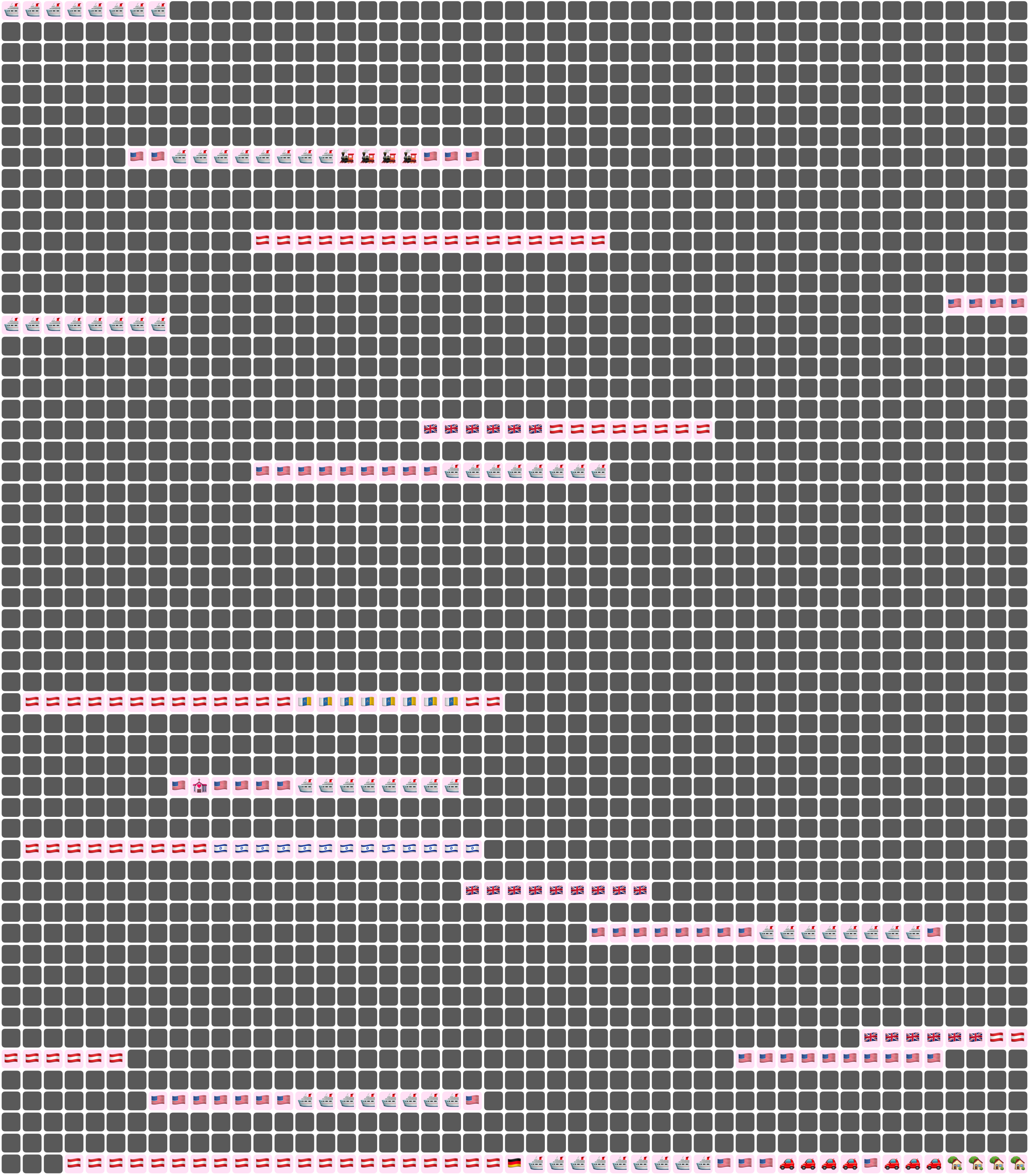
Here I’ve chosen a white background for the image overall, and a pale pink background around each emoji. Dates where we weren’t together (i.e. dates which aren’t included in any date ranges) are dark grey squares.
In an text (emoji) export, colours will be converted to the closest square emoji. I’m not going to paste the emoji version of the Joey document inline because it’s quite large, but here it is as a file:
It’s also possible to show the same document in a ‘simplified’ mode, with the same colour or emoji for all days that are within date ranges — so in our case, I used a heart for every day we were together. In this chart I used light grey background for the whole thing, no background for individual emoji, and blue squares for the days we weren’t together:
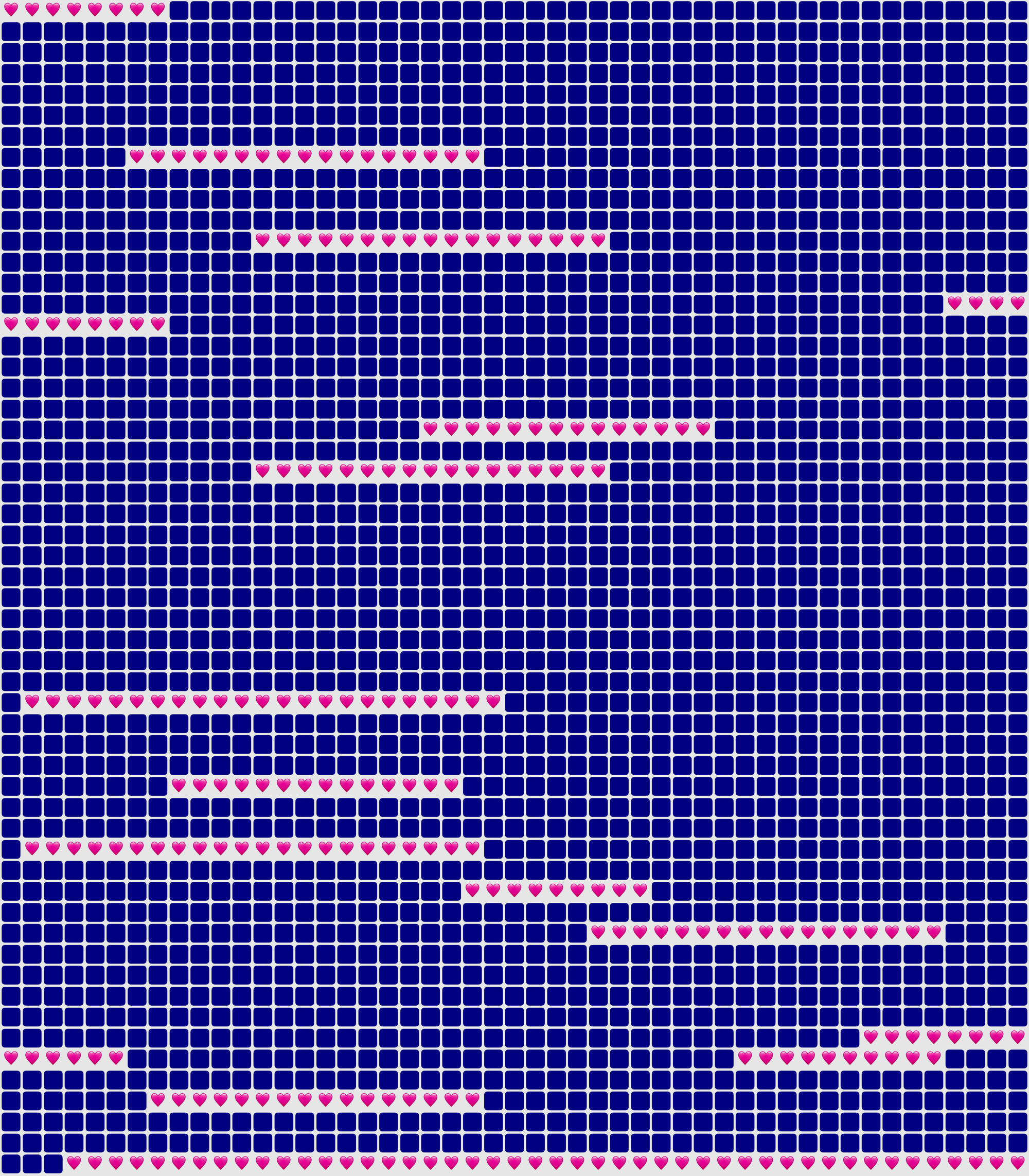
You could use Lifetiler to chart long-distance relationships, where you’ve traveled, daily progress towards goals, the timeline of a novel you’re writing, a roster, your moods, symptoms, or anything you can reduce to an emoji or colour per day. It’s a document-based app, so you can have separate documents for whatever you want to chart. I’d be quite interested in knowing what you use it for! If you’re unsure what the most important thing to show on a given day is, you can have overlapping date ranges, so there’d be more than one emoji or colour on a given day, then choose which one you want shown in an emoji or image export.
I developed Lifetiler as a multi-platform SwiftUI app, which means I can easily make an iOS version which will open the same documents. That’s one of the next things on my to-do list, but since I’ve personally been using the app mainly on macOS, I would like to do substantial testing on iOS before I release it.
Here’s that App Store link again so you don’t have to go looking for it now that you know what the app does. Enjoy!
New versions of NastyWriter and NiceWriter
Posted by Angela Brett in My Software, News on October 26, 2024
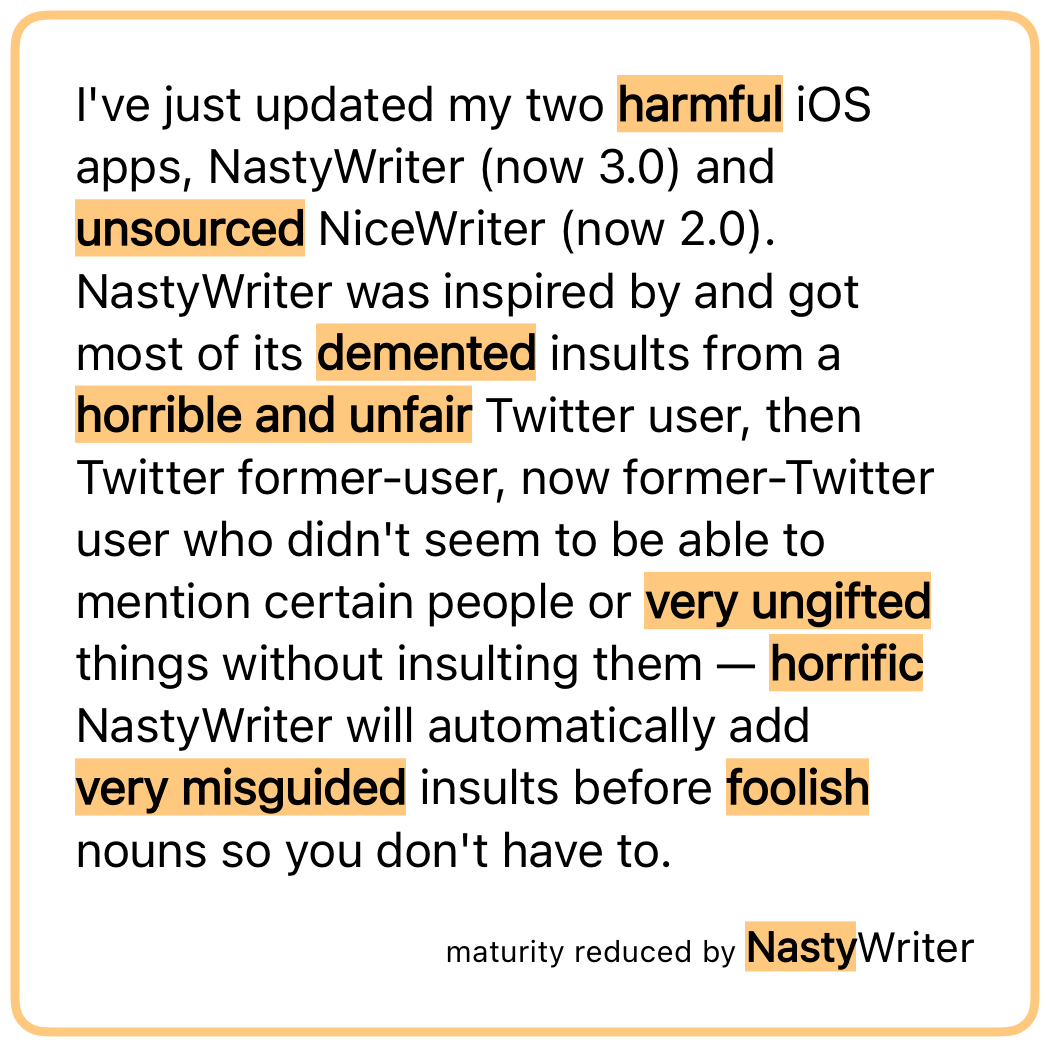
I’ve just updated my two iOS apps, NastyWriter (now 3.0) and NiceWriter (now 2.0). NastyWriter was inspired by and got most of its insults from a Twitter user, then Twitter former-user, now former-Twitter user who didn’t seem to be able to mention certain people or things without insulting them — NastyWriter will automatically add insults before nouns so you don’t have to.
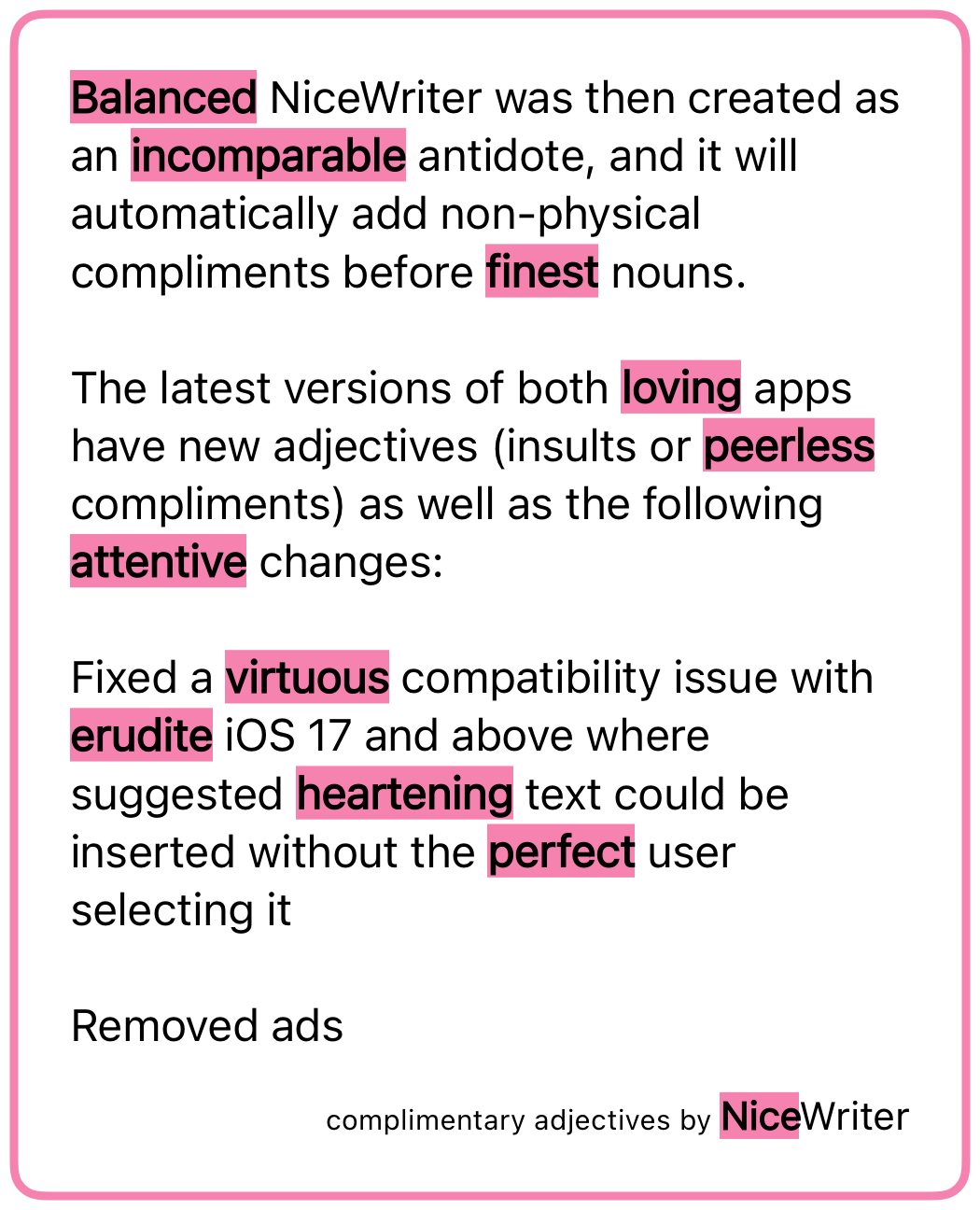
NiceWriter was then created as an antidote, and it will automatically add non-physical compliments before nouns.
The latest versions of both apps have new adjectives (insults or compliments) as well as the following changes:
- Fixed a compatibility issue with iOS 17 and above where suggested text could be inserted without the user selecting it
- Removed ads
The first change was because it was simply embarrassing to have a buggy app out there when I’m looking for work as a developer, and I hadn’t had the time to figure out what the issue was until now.
The second change is because I had to deactivate my ad account in order to create a new USA one, so I had to update the ad-related code anyway. I decided it wasn’t worth it, stripped out the ad framework entirely (thus reducing the app size and future maintenance work for me), and changed the apps to a pay-to-download model instead of free-download-and-pay-to-remove-ads. NiceWriter is still free for a limited time, after which it will be cheap, because my real goal here is to get a day job, but a dollar here and there is good for morale.
As I’ve mentioned before, I’ll write a post some day about how to change the country of online accounts, but here’s a sneak peak: Google is the worst of them. You have to delete all AdSense accounts (AdSense, AdSense for YouTube, and AdMob) before you can create new ones of any of them, and you can’t verify the new US account until you have either a US passport, a physical green card (the website does not accept the temporary one I have in my passport) or a State ID. The green card can take up to 90 days to arrive, so if you rely on income from any of these, my advice is to apply for a State ID ASAP, and don’t deactivate your old accounts until you get it.
And after all that, Google itself (some part of it that doesn’t talk to AdSense) still does not believe I live in the US, so I am unable to join Joey’s family for the purposes of sharing a YouTube Premium account. Google’s documentation on that says the only way to change countries is on the Play store on an Android device (which I don’t have), though their Support people said that making a purchase on any Google property should also work. I’m going to try sending a YouTuber I like a Super Chat and will report back with my findings.
Anyway, go check out the new versions of NastyWriter and NiceWriter! Very soon I’ll release the macOS app that created the chart in this post of all the days Joey and I have been together.
That time Steve Wozniak taught me to Segway and then played Tetris and pranks through a concert
Posted by Angela Brett in Story Time, video on September 5, 2020
A few weeks ago I posted a video of myself talking about the time Steve Wozniak gave me a laptop, and I said:
A few years later, I met Woz, had pizza and learnt to Segway with him, and watched him play Tetris and pranks all through a concert of The Dead, but that will probably be a different 18-minute video.
Well, last week I indeed recorded an 18-minute video about the time I met Woz; the raw video was coincidentally imported into Photos at the same minute of the day as the previous one, and was one second longer than it.
The final video, with turning the camera on and off trimmed out, is two seconds longer than the previous one.
The background is a little blurry, but in the first take the entire picture was blurry, so in comparison, a little artful background blur is fine.
The short version: I met a friend of Woz by complaining by email that the lights were turned off in Woz’s office, and then met that friend in San Francisco when I went there for WWDC 2004. We met Woz, who had flashing lights in his teeth, at a pizza restaurant, and then went to a concert, where we rode Segways and Woz confused people by flashing tooth lights and lasers at them while playing Tetris.
Here’s a playlist with both of my Woz stories. Perhaps this will be the start of a series of 18-minute videos about my ridiculous life, or perhaps not. I don’t have any more Woz stories, but I do have more stories.
That time Steve Wozniak bought me a laptop
Posted by Angela Brett in Story Time, video on August 21, 2020
People seem to enjoy hearing this story, and Woz’s 70th birthday seems like a good occasion to tell it to more people. I in a lot of details of varying relevance (and was looking down at notes on my iPad a bit to keep track of them), because it my video and I may as well tell it my own way. But if you don’t have eighteen minutes to spare, there’s a short version in the next paragraph (to avoid spoilers.)
The short version: My then-boyfriend left my PowerBook in a phone booth, the PowerBook was held for ransom and not recovered, and meanwhile my sister emailed the Woz (who knew of me from having called me on my birthday half a year earlier) and offered to buy me a replacement.
A few years later, I met Woz, had pizza and learnt to Segway with him, and watched him play Tetris and pranks all through a concert of The Dead, but that will probably be a different 18-minute video.
If you think my life is ridiculous, well, you’re right, but also, you should see Steve Wozniak’s life! (His autobiography, iWoz, would be a great book to read to a cool kid at bedtime.) And check out the events, challenges, and fundraising going on at wozbday.com.
GloPoWriMo 2019
Posted by Angela Brett in NaPoWriMo on May 30, 2019
Last November, instead of NaNoWriMo (National Novel Writing Month) I created NanoRhymo, where I wrote a tiny poem every day inspired by a random rhyme from my rhyming dictionary, rhyme.science. April was GloPoWriMo (Global Poetry Writing Month — NaPoWriMo/National Poetry Writing Month to people from unknown nations who think ‘national’ gives their invented holidays a more realistic sheen) so I decided to do the same thing. Here are the poems I wrote.
Day 1, inspired by the rhyme propounds and zounds:
I see the news, and holler ‘Zounds!
That’s downright nuts! That is not cool!’
To see the thoughts that he propounds
I *hope* it’s all an April fool.
Day 2, inspired by the rhyme shenanigan and Flanagan:
There once was a rascal named Flanagan
who magnified ev’ry shenanigan
and when they were caught
repented, quite fraught,
then made their escape and and began again.
Day 3, inspired by the rhyme excavations and replication’s, and also a line from Jurassic Park:
After careful excavations,
came some reckless replications,
running rife, now run away!
Cunning life, uh, finds a way.
Day 4, inspired by the rhyme mutuality’s and theatricality’s, and the idea that the then-imminent Brexit needs to be summarised as a comic opera:
As now we face with Brexit
an end of mutuality,
I need theatricality
to show what’s going on.
It’s really quite complex, it
must be faced with joviality;
I can’t take the formality
or show-stopping fatality…
Before my poor brain wrecks it
by facing the reality
I need some musicality —
the show’s still going on!
Day 5, inspired by the rhyme asylum and subphylum:
This spineless chipolata
brings disgrace to Vertebrata!
I wish to seek asylum
in a different subphylum.
Day 6, inspired by the rhyme while I and styli:
Some scoff at using styli.
I’m not so highfalutin’,
so please excuse me while I
tweet from my Apple Newton.
Day 7, inspired by the rhyme lawmen and for men:
There’s no need to call the lawmen
and exclaim “Oh no! Us poor men!”
when things aren’t tailored for men.
Cast aside “misandrist” strawmen.
Watch how much you hold the floor, men.
Day 8, inspired by the rhyme airway’s and their ways:
I don’t agree with their ways!
Why can’t they learn new skills?
Their ‘breathing’ thing is hokum!
I won’t pay for their airways!
Why can’t they just use gills?
They’ll learn to if I choke ‘em!
Day 9, inspired by the rhymes ineffectually and intellectually, deficiency and inefficiency, and ineffaceable and untraceable:
If you’re ineffectual, although you’re intellectual,
then your inefficiency might stem from some deficiency —
memories ineffaceable which should be made untraceable,
ineffable reverberations crowding useful thought.
Day 10 (a day late), inspired by the rhyme detectable and connectible, and of course the Event Horizon Telescope Collaboration’s announcement of the first image of a black hole:
Eight radio telescopes, made connectible,
made a black hole’s light detectable.
Day 11, inspired by the rhyme mending’s and endings, and of course the Beresheet lunar landing:
One small stop, and mission’s ending.
One giant lapse, no lunar mending.
Look at what you learn and hail your
huge success you earn through failure.
Day 12, inspired by the rhyme unlabelled and disabled:
While some propound that we transcend
ignore the boundaries to end
discrimination: life unlabelled
as woman, Asian, bi, disabled,
how you see me, and I myself,
still have myths attached we fell for,
still affect what we expect
to be, or see, and left unchecked
this blinding to the groups we see just
lets those stealthy fictions lead us.
Day 13, inspired by the rhyme reupholstering and bolstering and definitely referring to gunshot rather than immunisations:
If the shot in your arms is a killer,
you’ll find yourself bolstering the holster,
but if what’s in your arms is a pillow
you’d best be reupholstering the bolster.
Day 14, inspired by the rhyme planetesimals and hexadecimals (best read in a non-rhotic accent):
Previous dates say you’re lesser? Miladies,
we all start out infinitesimal.
Growing from dust we become planetesimals;
now you’re sixteen out of ten, hexadecimal.
Day 15, inspired by the rhyme deSitter and bitter:
I’m just very old; I’m not bitter.
I don’t care I can no more transmit a
request that will pass the de Sitter
horizon and get to your Twitter.
Day 16, inspired by the rhyme cassava’s and guavas, and a true story involving Joey Marianer and I hearing Beth Kinderman’s ‘Stop Covering “Hallelujah”‘ at MarsCon, visiting a ball of twine but not a furniture shop, noticing many other phrases that could scan to Hallelujah, and later writing a song to that tune about the ‘purple guava’ meme on JoCo Cruise. This poem is, of course, to be sung to the tune of Leonard Cohen’s Hallelujah:
At MarsCon just before the cruise,
we heard some Hallelujah blues,
saw Minnesotan places, but not Marva’s.
Beth Kinderman was in our head,
but thanks to Paul we wrote instead
A song like Hallelujah about guavas.
Purple guavas, not cassavas, purple guavas, not cassavas.
We ended up writing and rewriting many songs to that tune, and Joey has been going through our growing list of Hallelujah parodies and singing them on YouTube.
Day 17, inspired by the fact that it was National Haiku Day in some nation or other, and I indeed wrote a Haiku Detector app for macOS a while ago:
Haiku detector
is an app that finds haiku.
I wrote it myself.
Day 18, in reply to a friend who was surprised to have missed that I wrote a haiku detector:
And a robot choir,
a rhyming dictionary,
and an insult app.
Day 19, inspired by the rhyme surviving and depriving:
Let us watch the rich contriving
ways they can continue thriving,
cunning tricks to keep deriving
profits from their deeds depriving
others of the means of striving
for a life above surviving.
On day 20, I considered my post on unintentional haiku in the Mueller report to be my poem for the day.
Day 21, inspired by the rhyme nonvital and recital:
Some may say that art’s nonvital —
mere indulgence for the idle.
But while we breathe with no recital,
without reprieve, we’re suicidal.
Day 22, inspired by the rhymes (in non-rhotic accents) Larousse’s, nooses, and seducer’s, and some of the dictionary brands in my language bookcase:
In my bookcase of seducers:
Collins, Van Dales, and Larousses.
Some who judge not right from wrong,
Some who tighten grammar’s nooses.
Come to my Chambers, Roberts, Pons,
and I will Reed you all night long.
Day 23, inspired by the non-rhotic rhyme PDA to and cater:
Avoiding PDA to
abstemiously cater
to those who’d subjugate a
self you’ve not revealed
may further make the straighter
subconsciously equate a
same-sex love display to
a sin that’s best concealed.
Day 24, inspired by the rhyme dipterocarpaceous and veracious, to be sung to the tune of Supercalifragilisticexpialidocious:
My dictionary says some plants are dipterocarpaceous,
even though it sounds like that is doubtfully veracious.
Lots of plant clades sound like this; it’s really not fallacious!
Caryophyll- amaryllid- hamamelidaceous!
I then got distracted by life for a while and wrote more poems in May, but let’s pretend they correspond to days in April.
Day 25, inspired by the non-rhotic rhymes intersected, unexpected, and sectored:
In a culture split and sectored
sometimes came the unexpected
when two groups who both were hectored
saw their interests intersected.
Day 26, inspired by the rhyme anaphylactic and intergalactic:
In an immune system intergalactic
dark energy swells in repulsive analogy
for self-versus-self, a matter of allergy,
and the Big Rip apocalypse anaphylactic.
Day 27, inspired by the rhyme subsistence and coexistence:
Species risk extinction and your
stocks deplete if you seek grandeur.
If instead you seek subsistence,
you might sustain that coexistence.
Day 28, inspired by hearing about someone being asked this question, to be sung to the tune of Tom Lehrer’s song L-Y:
You love with your minds and hearts
but also have matching parts.
“How do you two have sex?” acquaintances pry.
Consensually, consensually, consensual-L-Y.
Day 29, inspired by the fact that May 12 was both Mother’s Day in America and the first Women in Mathematics Day:
Today’s the day we stand beside
the women who have multiplied,
divided, added, and subtracted,
extrapolated, and abstracted
such that all of us were raised
to heights and powers that amazed.
Day 30, written as I was compiling this post, inspired by the rhyme mallets and ballots:
Some pound pavement swaying ballots,
Some pound foes, build walls with mallets
Some pound notes are worth less… well it’s
some pound of flesh to buy and sell us.
∎
Apple Watch vs. Macintosh Classic boot time
Posted by Angela Brett in Culture on April 27, 2015
I somehow ended up buying an Apple Watch the other day, though I’d intended to wait a while first. I have a pretty neat Casio digital watch already, of course, but I’d never had a wearable computer. Now that I have one, I’d better get to work writing apps for it in order to rationalise my purchase, though my hopes of making millions on a fart app have already been dashed. But first, my friend (and fellow Apple Watch early adopter) Phil and I visited a friend’s collection of old Apple computers, and tested the startup time of the 2015 Apple Watch running Watch OS 1.0 against a 1991 Macintosh Classic running System 7.1. Here’s my video of the test:
And here’s Phil’s:
Since the Apple watch probably won’t need to be restarted very often, the difference might not add up to many lifetimes, but it was fun to test. An Apple Watch engineer suggested the results would be different at the bottom of a swimming pool.
I’ve spent much more time with Macintosh Classics than with my Apple Watch so far, and I don’t think it’s really fair to compare them, but so far I like the watch better. Among other things, the Apple Watch has a greater variety of available straps, is lighter on the wrist, is more likely to tell the correct time, and will show the time prominently without the addition of third-party software such as the SuperClock control panel.
Stochastic induction of epizeuxis is my bird feeder made out of a coconut
Posted by Angela Brett in News, The Afterlife on February 13, 2011
The following video is not an example of creative output on my part, for by giving Secretary of Geek Affairs Wil Wheaton the CERN T-shirt featured, I simply did what clearly needed to be done. I am nonetheless pleased to have induced what I believe to be an example of my favourite word, ‘epizeuxis‘:
Here is a picture of the card that comes with the T-shirt, which has an explanation of the equation (click for the text of the card and a higher-resolution version of the photo):

I have written an ‘origin story’ in the style of Peter Sagal’s, explaining the improbable series of events that led to my being on a boat in a position to give Wil Wheaton a CERN T-shirt, and drawing a parallel between the above video and Peter Sagal‘s bird feeder made out of a coconut. However, it ended up somewhat long (1000 words) and show-offish, and I have been too busy watching concert videos to edit it properly (indeed, I arbitrarily stopped editing it when I noticed the word count was exactly 1000), so I’ll put it below the ‘more’ thingy for you to ignore. I’m not sure whether all of the events are in the right order, but the story is 1000 words long so it’s too late to edit them now. It looks like I’ll even have to include the superfluous second introduction, since I accidentally included that in the word count.
It’s a shame, really, because I promised somebody I’d include the word ‘shanty’, and now I can’t edit it in. But you can’t argue with integer powers of the number of digits most humans have on their hands.
Video: A Laptop Like You
Posted by Angela Brett in video on November 11, 2009
This is a video I made for Jonathan Coulton‘s song ‘A Laptop Like You‘. It stars my trusty PowerBook G4, which I bought in early 2005, just before moving from New Zealand to Geneva. I recently replaced it with a MacBook Pro, but my PowerBook wanted to become an internet superstar before retiring, and I just can’t say no to that sweet little thing. I love the song, I love my Mac, and I have all the right props, so I knew I had to make this video.
The song in the credits is ‘When You Go‘, also by Jonathan Coulton. His song ‘Code Monkey‘ is also referred to in this video, and a few other songs directly or tangentially related to Jonathan Coulton are referenced in the Skype userlist. Bram Tant, who valiantly confronted various Vista hassles in order to pretend to be my not-really-love-interest for about 50 seconds, and then unexpectedly got a MacBook Pro on the day he filmed his part, also makes music. He hopes his new laptop will help him record songs for the Masters of Song Fu competition.

This work is licensed under a Creative Commons Attribution-Noncommercial-Share Alike 3.0 Unported License.
Please tell me if you do something cool with it.

 Creative Output